fast快速生图Quick sketch
让画布成为参考,把笔下的草稿变成一张生成图。适合边画边试,快速探索构图。Use the canvas as a reference and turn a rough sketch into a generated image. Explore compositions as you draw.
 haminn.
CHP · Consolidated Haminn Portal
一台电脑,一个入口。CHP 把自己的图片生成和语音服务连接到 HamDraw、Chataxi、PoseGi,让应用共用本地模型,创作各有发挥。One computer. One gateway. CHP connects your image and speech services to HamDraw, Chataxi and PoseGi, turning local models into everyday creative tools.

图片场景Image workflows从速写到成图From sketch to finished image
流式语音Streaming speech连接已有的 TTS 引擎Connect your existing TTS engine
统一能力清单Capability document应用知道此刻能做什么Apps discover what is ready
能力CAPABILITIES
五个图片场景,加上语音。应用从 CHP 的能力清单读取选项,不必为每个后端重新适配。Five image workflows, plus speech. Apps read their options from CHP instead of integrating every backend separately.
可用场景、模型、画幅与音色,以你的部署和当前密钥授权为准。Available workflows, models, sizes and voices depend on your deployment and the current key.
fast让画布成为参考,把笔下的草稿变成一张生成图。适合边画边试,快速探索构图。Use the canvas as a reference and turn a rough sketch into a generated image. Explore compositions as you draw.
inpaint用蒙版选中要改的区域,重画这一部分。画面其余位置保持原样。Mask the area you want to change and redraw that part while preserving the rest.
upscale把已有作品交给放大场景,在所配模型和画幅的范围内输出更高分辨率。Produce a higher-resolution version of an existing image using the configured model and available output sizes.
render给一张照片、姿势图或角色参考,再写一句描述,让参考中的构图参与生成。Start with a photo, pose or character reference, add a description, and let that composition guide the result.
generate从一句描述开始,不需要上传参考图。适合角色灵感、场景构思和全新的画面。Begin with a description, with no reference image required. Explore characters, scenes and new visual ideas.
speak连接已部署的语音引擎,发现可用音色。支持流式 PCM,也能一次取回 WAV 音频。Connect an installed speech engine and discover its voices. Receive streaming PCM or a complete WAV file.
工作方式THE CONNECTION
CHP 是 Haminn 综合入口程序。它在应用和模型服务之间提供统一的发现、调用与授权,让不同的创作工具用上同一台电脑的能力。CHP is the Consolidated Haminn Portal. It provides shared discovery, requests and access control between your apps and model services, so different creative tools can use the same computer.
 HamDraw
 Chataxi
 PoseGi
一个地址 · 统一能力清单One address · Shared capabilities
 ComfyUI图片生成与重绘Image generation and editing
能力清单会说明哪些场景已就绪、接受什么输入,以及有哪些模型和参数可选。The capability document describes ready workflows, accepted inputs, models and available parameters.
在本机控制台创建和管理密钥,可分别授权图片或语音场景,按需更换与撤销。Create and manage keys in your local console. Grant image or speech capabilities, then rotate or revoke access as needed.
图片场景的工作流由插件提供;应用提交所需的描述和参考,无需自行导出工作流 JSON。The plugin supplies the image workflows. Apps send descriptions and references without exporting workflow JSON.
图片之外,还有声音BEYOND IMAGES
把已安装的 TTS 引擎接到 CHP,同一个服务地址就能提供语音。音色由部署播报,应用按需选择;流式模式边合成边返回音频,也可以获取完整 WAV。Connect your installed TTS engine to CHP and serve speech from the same address. Apps discover the voices your deployment offers, receive audio as it is synthesized, or request a complete WAV.
语音引擎与模型需单独安装、配置;插件 ZIP 不包含 TTS 模型。The speech engine and its models are installed and configured separately; the plugin ZIP does not include TTS models.
开始使用GET STARTED
准备一台能正常运行 ComfyUI 的电脑,让手机能够访问它,再按这三步开始。Start with a working ComfyUI installation and a phone that can reach it, then follow these three steps.
CHPCP · ComfyUI Plugin · v3.2.0
图片与语音接口、能力发现,以及本机密钥控制台。以 ComfyUI 插件形式安装,模型使用你自己的配置。Image and speech interfaces, capability discovery, and a local key-management console. Installs as a ComfyUI plugin and uses your own model configuration.
下载最新插件 ZIPDownload the latest ZIP安装包不包含图片模型或语音引擎。已有安装请先保留自己的配置和密钥,再替换插件文件。Image models and speech engines are not bundled. When updating, preserve your settings and keys before replacing plugin files.
解压 ZIP,将整个 hamdraw_chp 文件夹放进 custom_nodes,保留目录名,然后重启 ComfyUI。Unzip the archive, place the entire hamdraw_chp folder in custom_nodes, keep its name, then restart ComfyUI.
ComfyUI/custom_nodes/hamdraw_chp/在 HamDraw 配置节点选择所需模型并保存设置;为应用设置访问密码,或通过本机 /chp/admin/ 控制台按场景分配密钥。语音引擎另行配置。Select the required models in the HamDraw Config node and save its settings. Set an access password, or assign scoped keys through the local /chp/admin/ console. Configure speech separately.
在应用的模型服务设置中选择 CHP,填写电脑的服务地址与访问钥匙。插件模式使用 ComfyUI 的地址和端口;连接后确认所需能力已就绪。Choose CHP in your app’s model-service settings and enter the computer’s service address and access key. Plugin mode uses ComfyUI’s address and port. Confirm the required capabilities are ready.
手机与电脑通常连接同一个局域网;在手机上填写电脑地址,不要填写手机自己的 localhost。Your phone and computer typically share a local network. On the phone, use the computer’s address, not the phone’s localhost.
应用场景IN YOUR APPS
从画布里的第一笔,到角色与姿势的灵感,CHP 把模型能力交给你正在使用的工具。From a first brushstroke to character and pose ideas, CHP puts model capabilities into the tools you use.
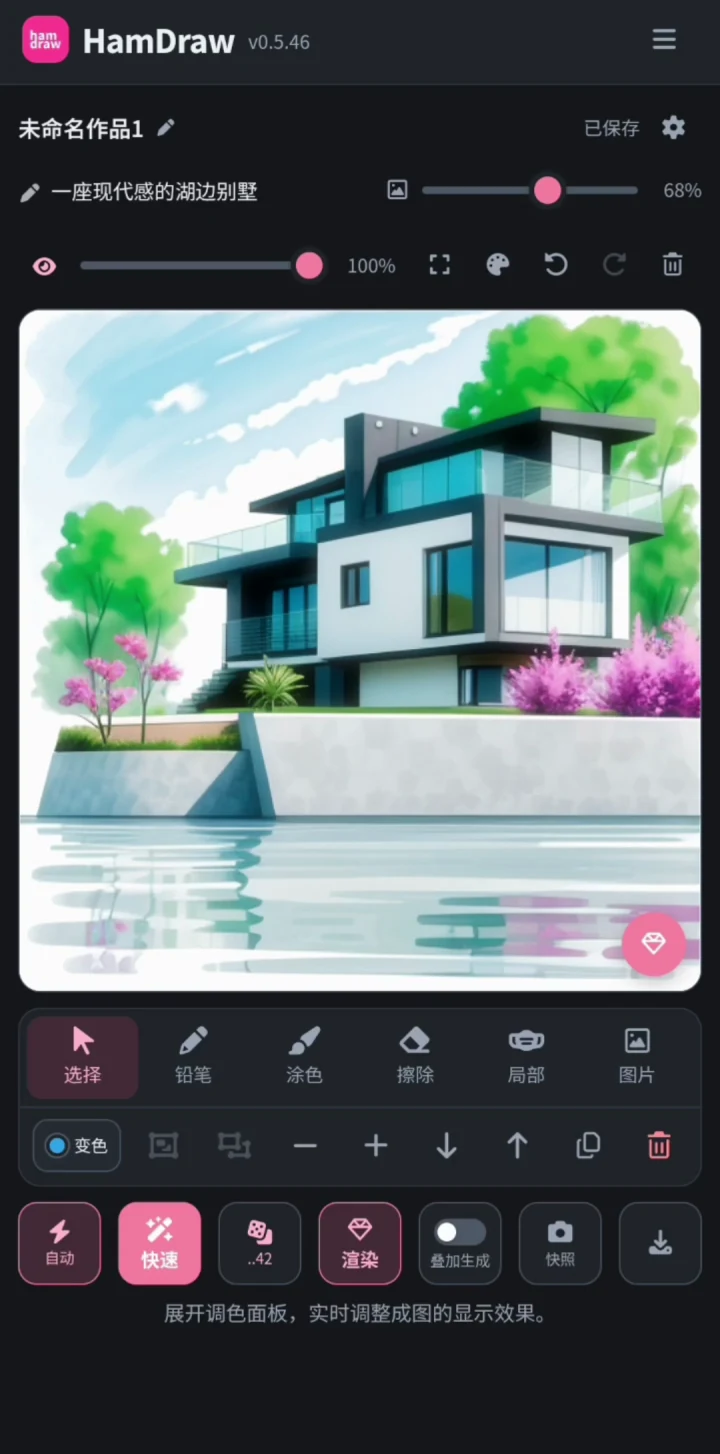
把草稿画成作品。Turn a sketch into a picture.
将画布交给快速生图,选区局部重绘,再按需渲染或放大。Use your canvas as a reference, inpaint a selection, then render or upscale as needed.
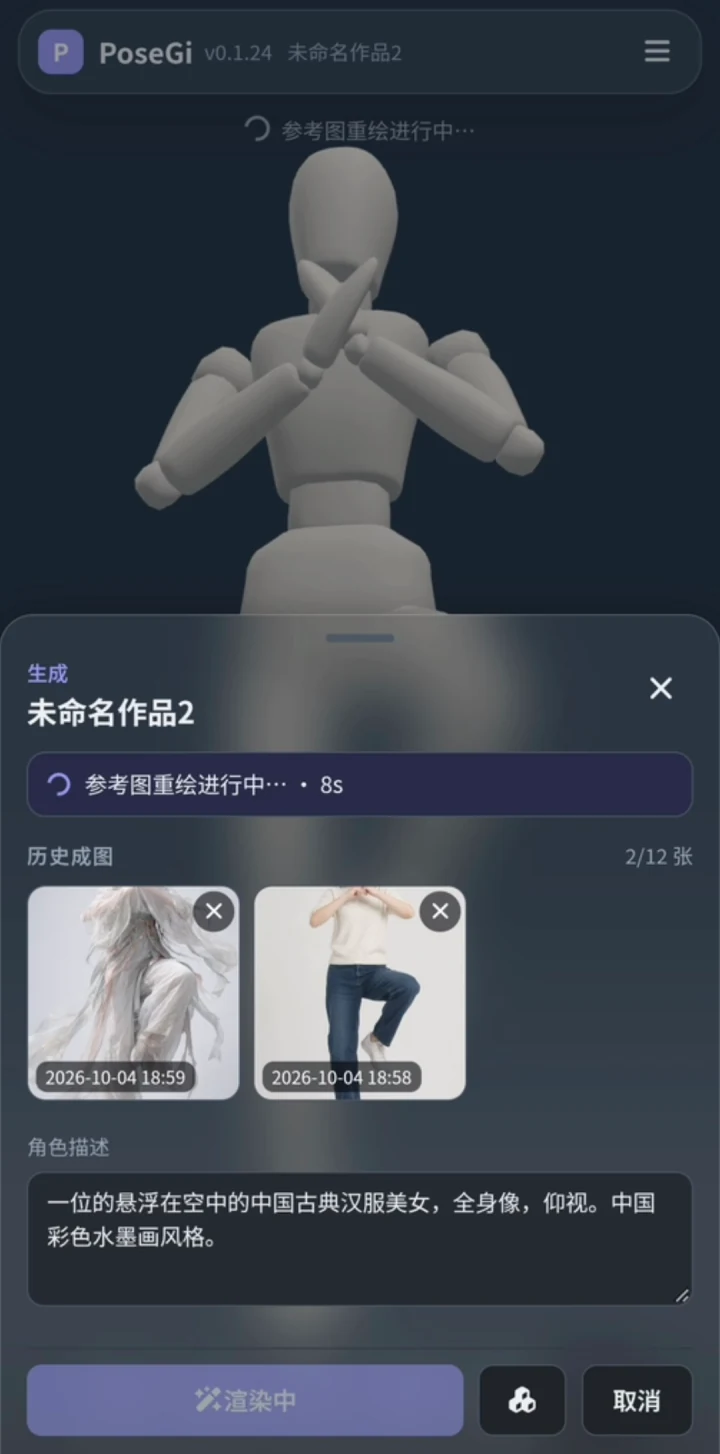
让姿势成为参考。Let a pose guide the image.
先摆好三维人偶,再把姿势参考和文字描述交给 CHP 重绘。Pose the 3D mannequin, then send the pose reference and description to CHP for rendering.
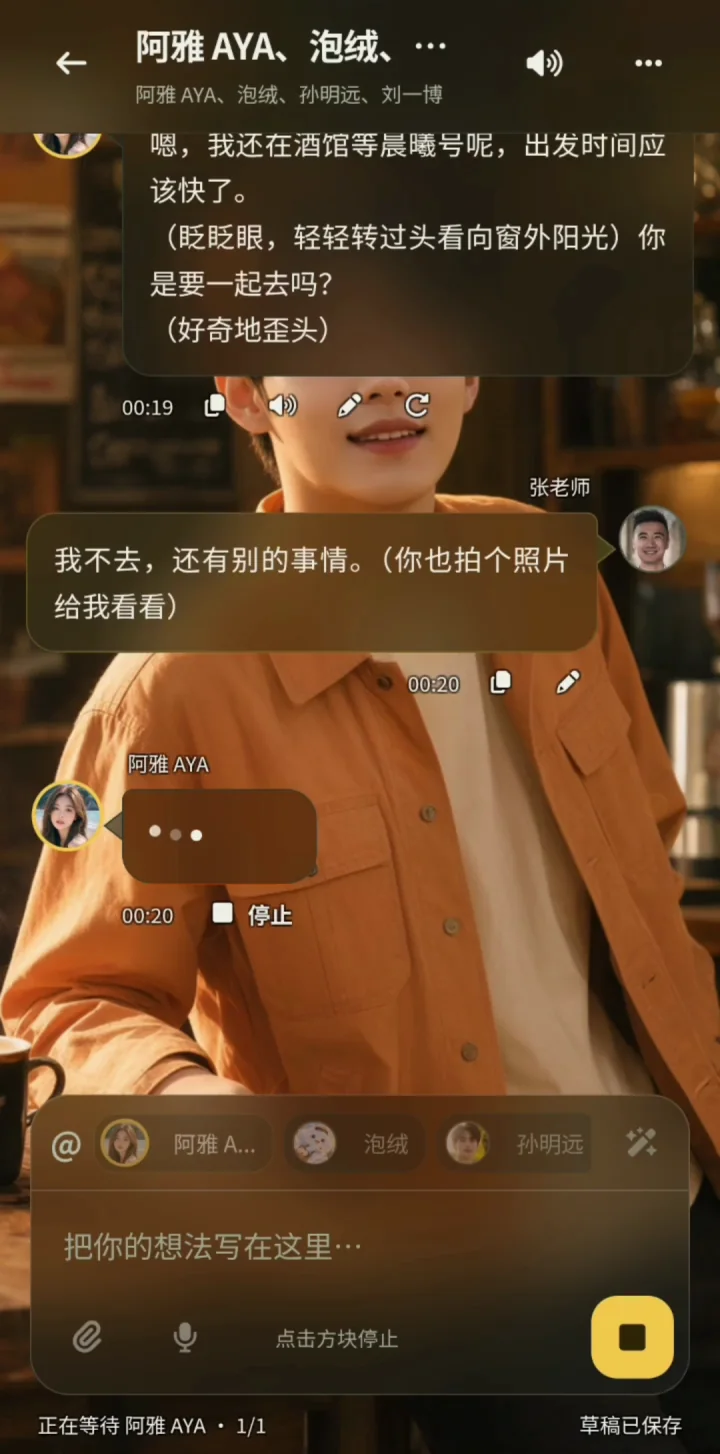
给对话添上图与声音。Add pictures and voices to chat.
连接 CHP 绘图与朗读能力,让角色形象和对话语音使用自己的服务。Connect CHP image and speech capabilities to power character pictures and spoken dialogue with your own services.
配图为应用界面示例;实际界面和可用功能以应用版本、CHP 配置及密钥授权为准。Images show example app interfaces. Appearance and available features depend on the app version, CHP configuration and key permissions.
使用之前GOOD TO KNOW
了解安装位置、模型与权限,接入时就少走一步弯路。Know where it runs, what it needs and how access works before connecting.
CHP 是你自己部署的模型入口,这个网站提供介绍和插件下载,不提供托管算力。模型在哪里运行、请求发往哪里,由你的后端配置决定;本机与局域网是常见用法。CHP is a gateway you deploy yourself. This website provides information and downloads, not hosted compute. Your backend configuration determines where models run and requests go; local and LAN use are common.
插件装在运行 ComfyUI 的电脑上。手机安装 Haminn 和所需应用,在应用里填写电脑的 CHP 地址与访问钥匙即可。Install the plugin on the computer running ComfyUI. Install Haminn and your chosen apps on the phone, then enter the computer’s CHP address and access key in the app.
不包含。图片场景使用你配置的模型,语音需要独立部署的兼容 TTS 引擎。缺少模型或引擎时,能力清单会报告尚未就绪,安装插件不会自动下载这些模型。No. Image workflows use the models you configure, and speech requires a separately installed compatible TTS engine. Missing models or engines are reported as not ready. Installing the plugin does not download them.
可以。使用电脑上的 CHP 控制台创建密钥,按快速生图、局部重绘、放大、参考重绘、文字生图和语音分别授权。控制台管理凭据与应用访问密钥分开。Yes. Use the CHP console on your computer to create keys scoped to individual image and speech capabilities. Console administrator credentials are separate from app access keys.
除了插件模式,当前源码也提供独立服务模式,用独立端口连接已有的 ComfyUI 后端。应用使用同一份 CHP 接口,具体部署方法见仓库文档。The source also includes a standalone service mode that connects to an existing ComfyUI backend through its own port. Apps use the same CHP interface; deployment details are in the repository documentation.
连通只说明找到了服务。模型是否配置完整、语音引擎是否可达、当前密钥是否授权,都会影响可用能力。先查看能力清单的就绪状态,再核对电脑端配置。A successful connection only means the service was found. Model configuration, speech-engine reachability and key permissions determine which capabilities are usable. Check readiness in the capability document, then the computer’s configuration.
装好 CHP,连接应用,从一次创作开始。Install CHP, connect an app, and start creating.